
Facebook Business Portfolio - Creation
A Facebook Business Portfolio brings together your business assets such as Facebook pages, Instagram accounts, ad accounts, and more, so you can manage them all in one place.
Every Facebook Business Portfolio account is created through a personal Facebook account.
Meta only allows a personal account to create a maximum of 2 Facebook Business Portfolios, which makes it impossible for the team at Kook to create a Business Portfolio for you. Instead, your Facebook Business Portfolio should be set up under your own personal Facebook account.
To create a new Business Portfolio, follow these steps:
- Go to https://business.facebook.com and log in using your Facebook profile.
- Click the drop-down menu in the top left and select ‘Create a business portfolio’.
- Enter your business details (business name, your name and email address).
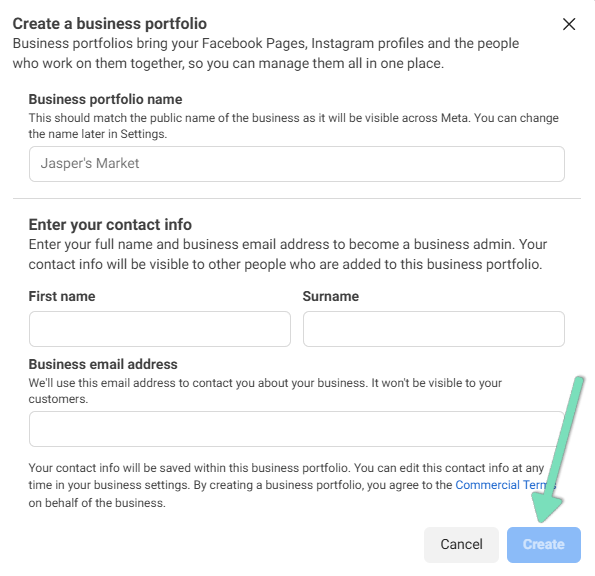
- Click ‘Create’. If you’re creating a business portfolio using your Facebook profile, then you’ll get an email asking you to confirm your business email address.
- This will take you to the main dashboard for your Facebook Business Portfolio
IMPORTANT: Make sure to verify your Business Portfolio by confirming via the email sent to your email address.
Great job! You’ve created your own Business Portfolio, now it’s time to add Kook as an admin.
We're ready to move,
are you?
No lock-in contracts.
No outsourcing.