
Facebook Business Portfolio - Assign Access
Don't have a Business Portfolio?
Create one before continuing.
Create a Business portfolio here >
Grant access to your Meta Business Portfolio.
Follow the steps below to give a new user access:
- Simply navigate to https://business.facebook.com/ and log in with the Facebook profile that has full admin control of the Facebook page.
- Select ‘People’ under ‘Users’ in the left-hand menu.
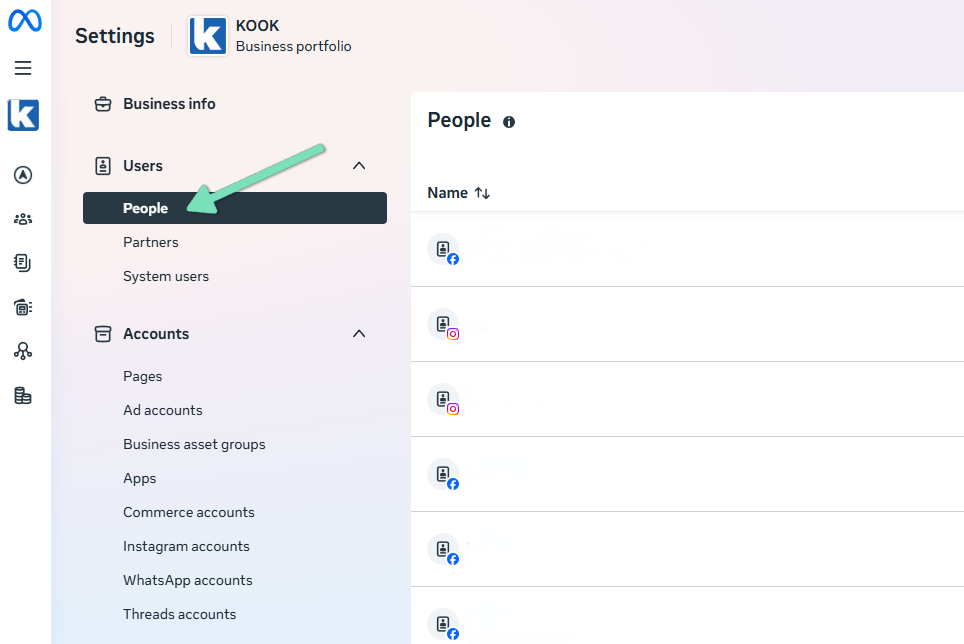
- Click ‘+ Invite people’.
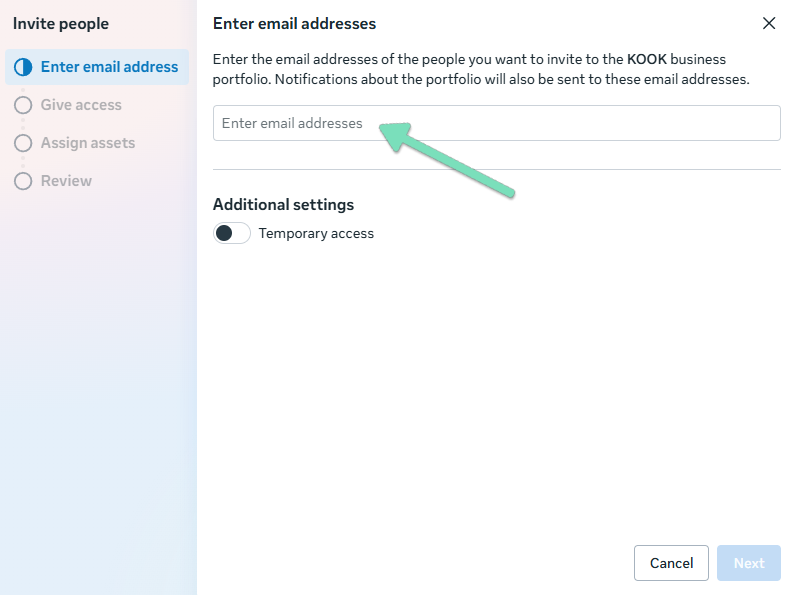
- Enter the email address of your project manager and click ‘Next’.
- Toggle on ‘Manage’ under ‘Everything' to grant full access to the Business Portfolio.
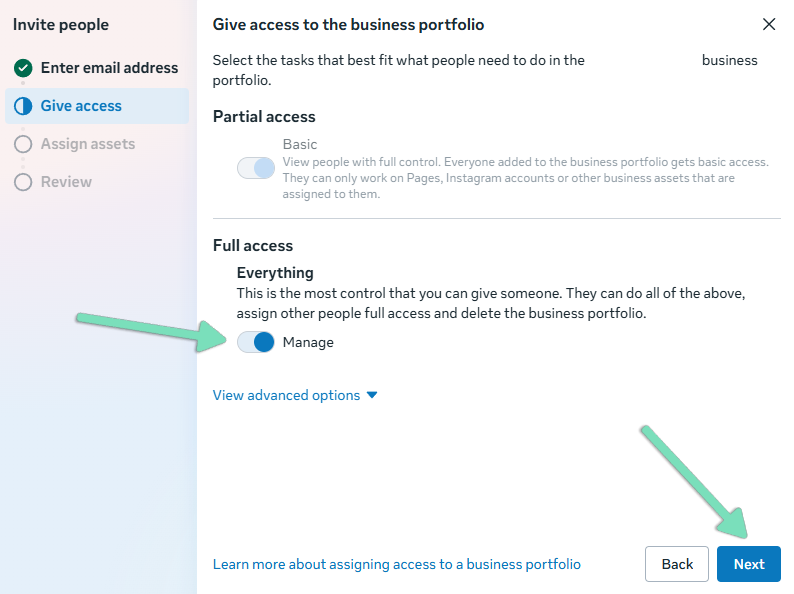
- No need to assign any assets specifically, you can just click ‘Next’ again.
- Check that you’re inviting the correct email address, and select ‘Invite with 0 assets’.
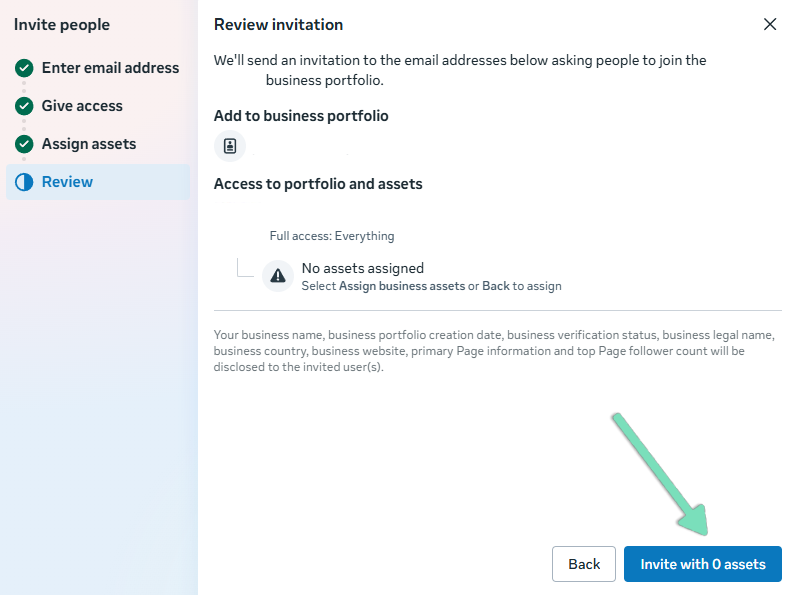
Great job! You’ve added us as an admin. We’ll now be able to continue setting up your Meta Ads campaign.
We're ready to move,
are you?
No lock-in contracts.
No outsourcing.
Thank you! Your submission has been received!
Oops! Something went wrong while submitting the form.