
Google/Gmail Account – Creation
We will require a Google/Gmail account in order to provide access to all assets and accounts and ensure you can access all accounts through the single login.
To create the account, please follow the below instructions:
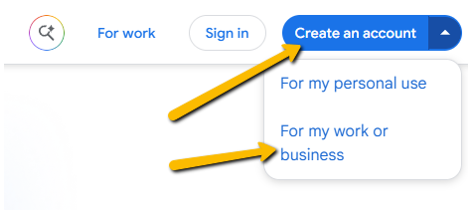
1. Visit https://workspace.google.com/intl/en-US/gmail/ and click ‘Create an account’ in the top right-hand corner, then ‘For my work or business’.
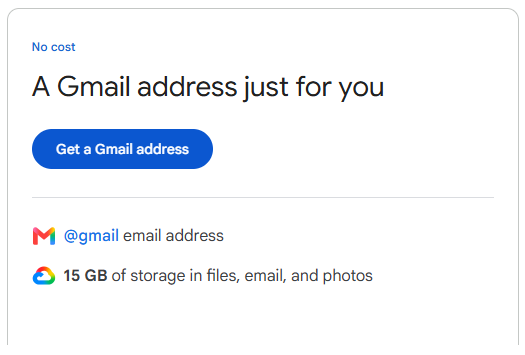
2. Once here click, “Get a Gmail address”.
3. Enter your first and surname or business name. Then enter your birthday and gender.
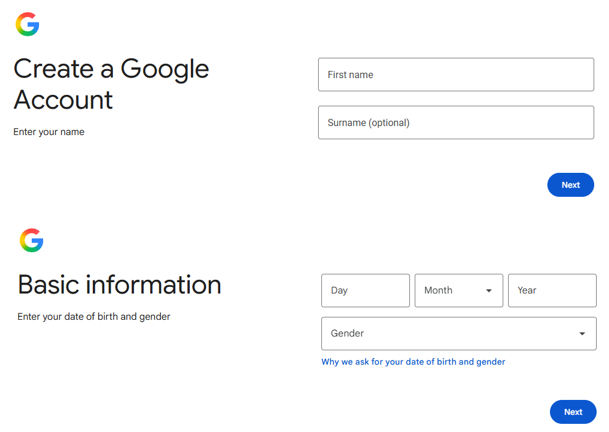
4. From here enter the desired login information as provided by your Client Manager.
Username: [insert preferred bridging Gmail account]
Password: [insert preferred strong password here]
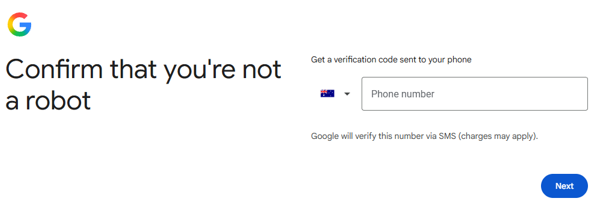
5. Enter your phone number to receive a code and verify the account. Please let us know if you get a notice of ‘This number has been used too many times’.
6. Follow the remaining prompts and create email.
Once created, please let us know and we will add two-factor authentication. If you are unsure on how to do this, we can go through this setup in our introductory meeting.
We're ready to move,
are you?
No lock-in contracts.
No outsourcing.