Google Ads - Assign Access.
Google Ads provides the ability to easily share your account with others within your business and external organisations. You’ll also have the ability to change user access permissions or revoke user access at any point in time. You should never need to share your Google username and password with a Google Partner.
Sharing Google Ads account access with a manager account:
This is Kook’s preferred method of sharing access to a Google Ads account.
To share access with an MCC user, you’ll need to provide them with your Google Ads Customer ID. You can find your nine-digit Customer ID in the top right-hand corner of any page within your Google Ads account.

Once you have provided your Customer ID. Send this to a member of Kook's Digital Marketing team, and they will be able to send a request to manage your account. In order to complete this process, you will need to approve their request.
To approve this request, complete the following steps;
1. Click on Admin in the left-hand panel of the page
2. Select ‘Account and security’
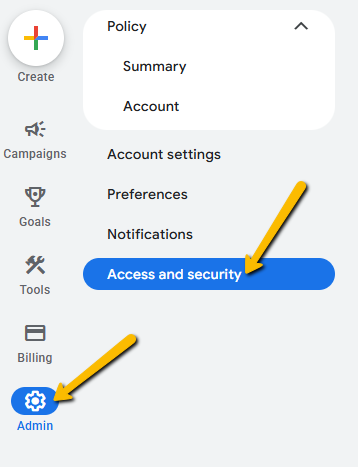
3. Select ‘Managers’ in the menu
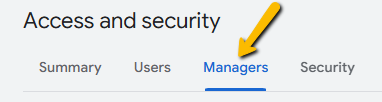
4. Select ‘Accept Request’
If you require further support on this topic, please read this Google Support article.
Sharing Google Ads account access with another user (not required if you have completed the above access request):
In order to provide access to another user/email follow these steps:
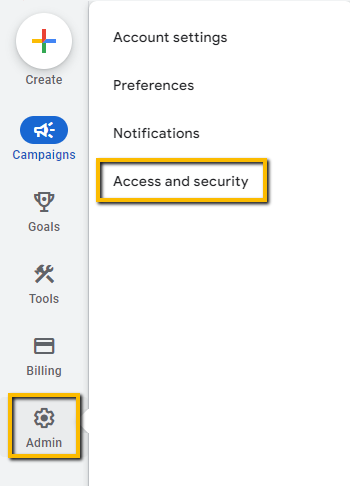
- Log in to your Google Ads account at https://ads.google.com/ and navigate to Admin on the left menu. Click on ‘Access and security’.
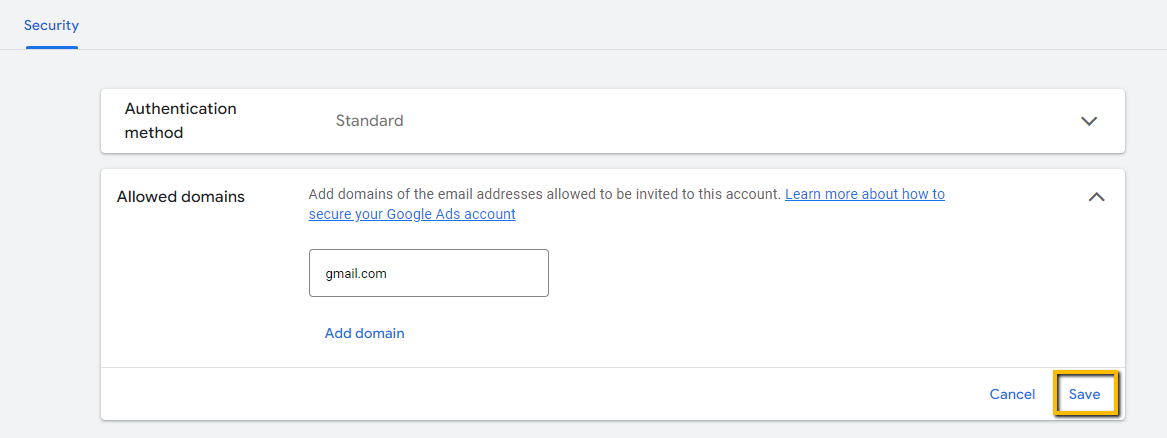
- Navigate to Security, add the domain gmail.com to the list of allowed domains and click on ‘Save'

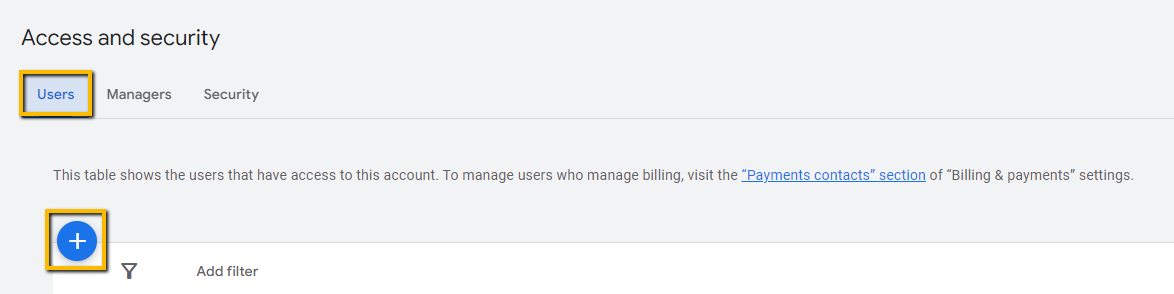
- Navigate back to Users and click on the blue + Button to add a new user
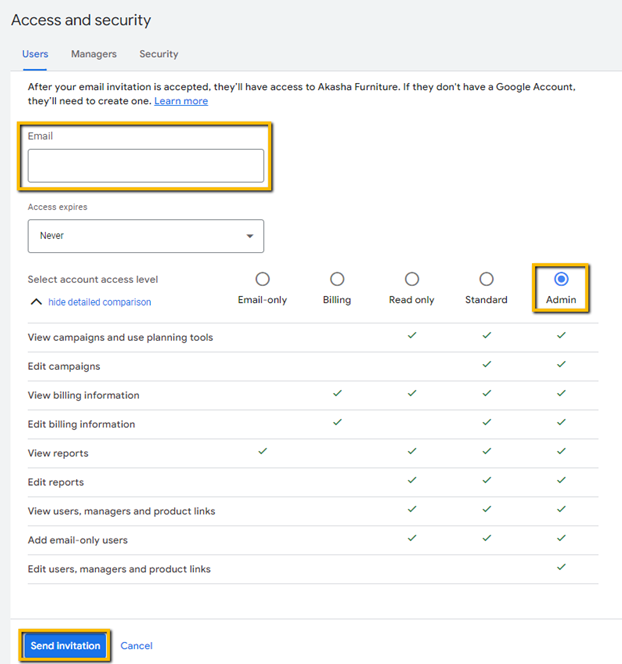
- Enter the email address and select ‘Admin’ at the account access level. Then scroll down and click on the ‘Send Invitation’ button.
Great job! You’ve added an admin to your Google Ads account.
We're ready to move,
are you?
No lock-in contracts.
No outsourcing.