
Facebook Pages Classic - Assign Access.
In order to grant a new user access to your Facebook Page (Classic), follow these steps:
- Simply navigate to https://facebook.com/ and log in with the Facebook profile that has full admin control of the Facebook page.
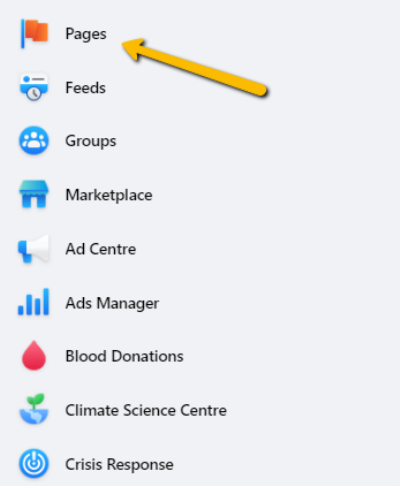
- Either go directly to your Facebook page, or click "Pages" in the left-hand side menu.
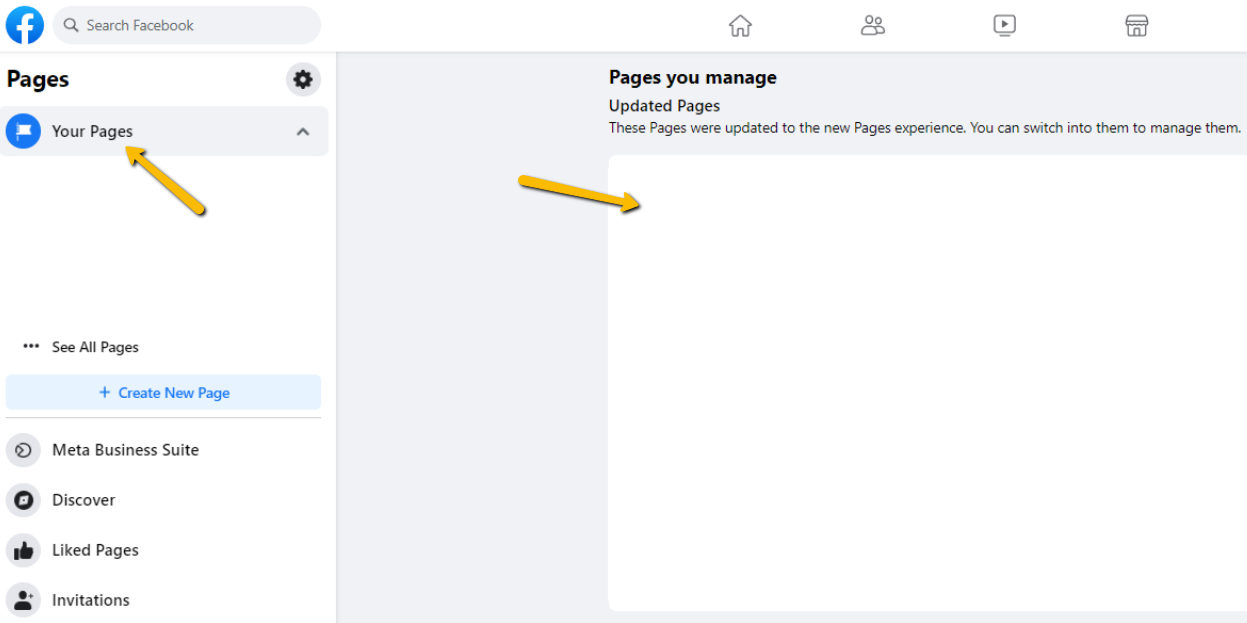
- Select your facebook page under “Your Pages” or “Pages you manage”
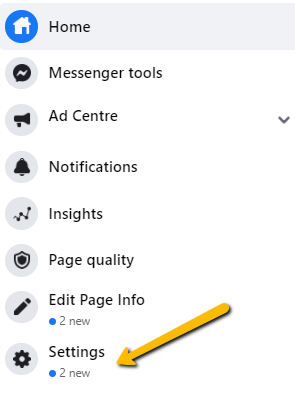
- Click "Settings" on the left-hand side.
- Once you’re in the page settings, click "Page Roles" on the left-hand menu.
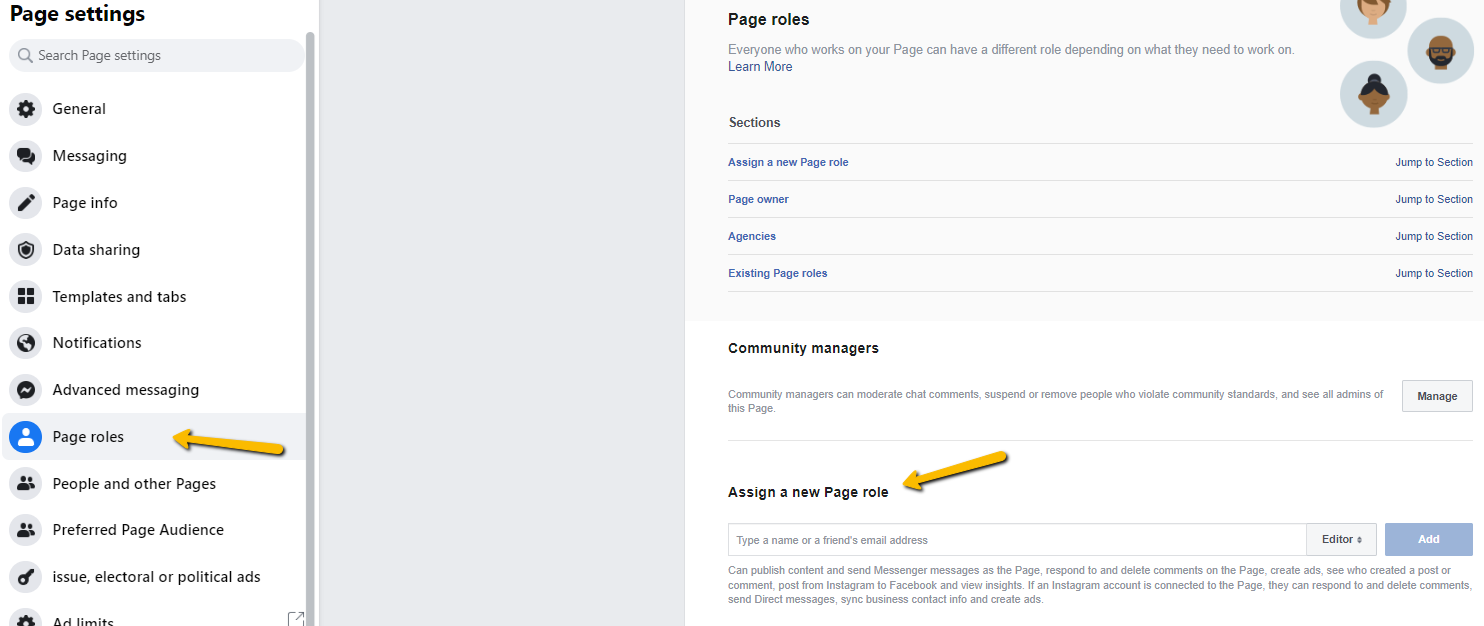
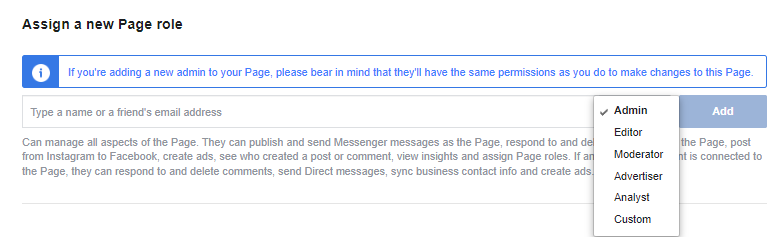
- Assign a new page role by entering in your project manager’s profile. Make sure it is set to Admin access before submitting
- Danique Kook https://www.facebook.com/profile.php?id=100083982926992
Kaitlin Kook https://www.facebook.com/profile.php?id=100074022700372
Anoop Kook https://www.facebook.com/profile.php?id=100080079977760
Drew Kook https://www.facebook.com/profile.php?id=100093365811147
Great job! You’ve added us as an admin to your Facebook (Classic) page. We’ll now be able to continue setting up the account in preparation of your project.
We're ready to move,
are you?
No lock-in contracts.
No outsourcing.
Thank you! Your submission has been received!
Oops! Something went wrong while submitting the form.