
Google Tag Manager (GTM).
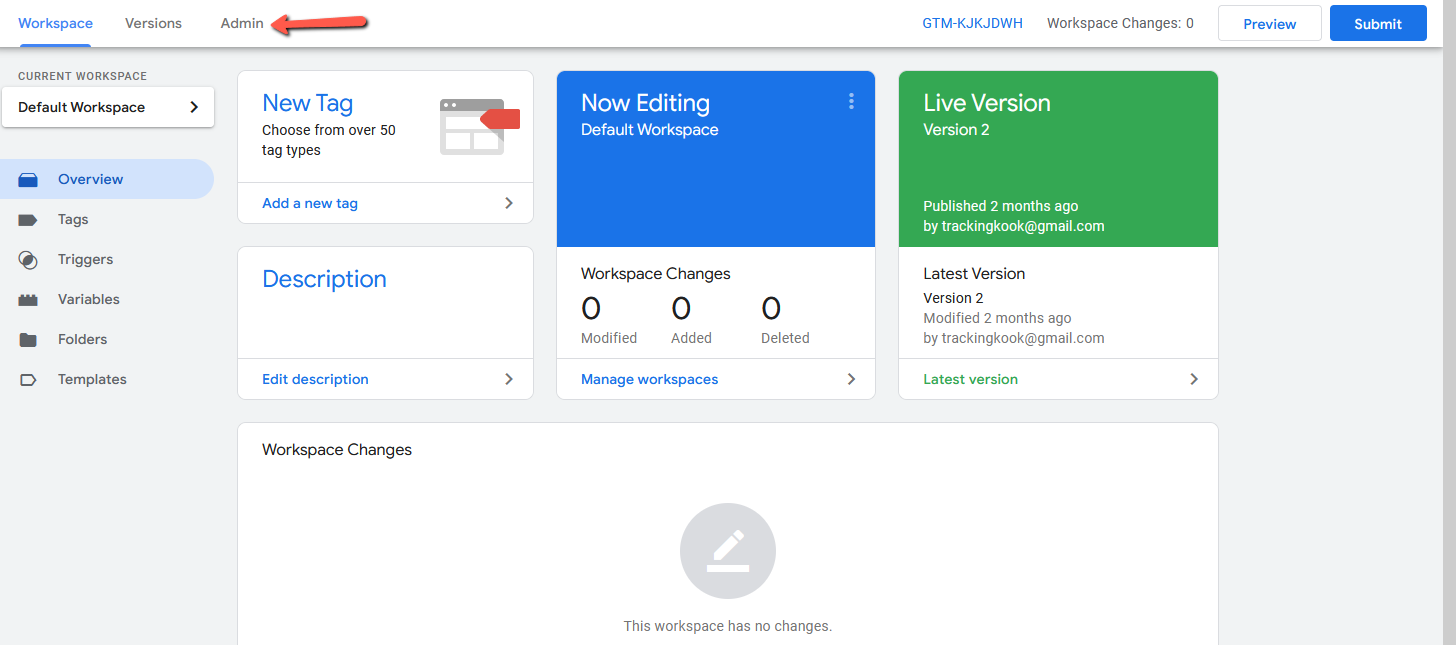
1. Log into your Google Tag Manager account here and navigate to Admin
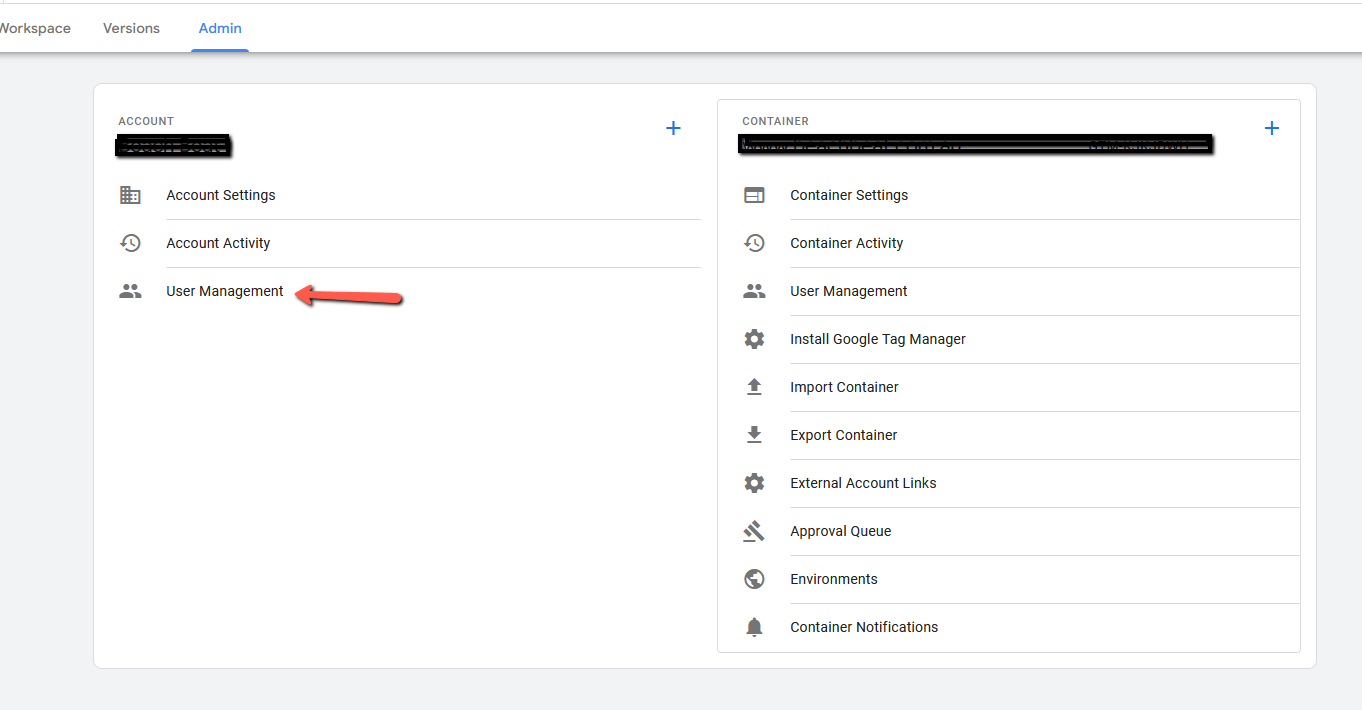
2. From the Admin menu select User Management
3. Click on the blue circle + button and select add a new user.

4. Enter the email address that you want to give permission to. Ensure that the correct container ID is being showing. Tick the Administrator level or permission change the permission level on the container to Publish
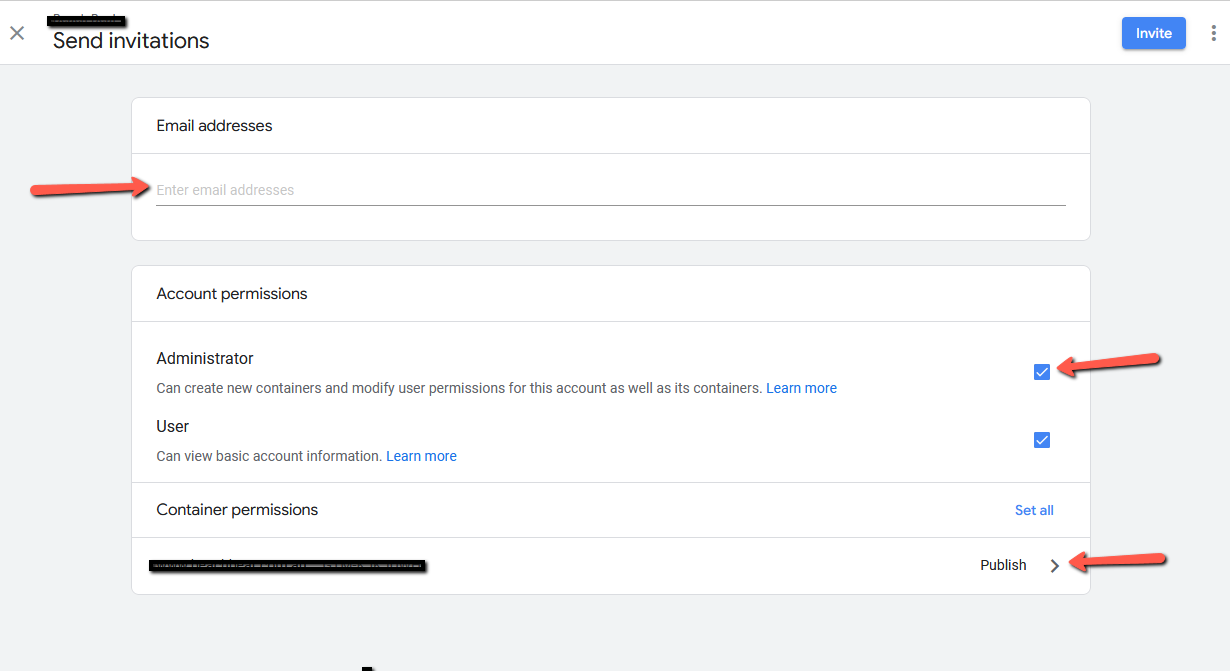

5. Click Invite
We're ready to move,
are you?
No lock-in contracts. Guaranteed.
No outsourcing. Guaranteed.
We'll get back to you same day. Guaranteed.
Thank you! Your submission has been received!
Oops! Something went wrong while submitting the form.