
Facebook Business Manager - Assign Access.
Don't have a Business Manager Account?
Create one before continuing.
Create a Business Manager Account here >
Grant access to your Meta Business Manager.
Follow the steps below to give a new user access:
- Simply navigate to https://business.facebook.com/ and log in with the Facebook profile that has full admin control of the Facebook page.
- Select Business settings in the left-hand menu.
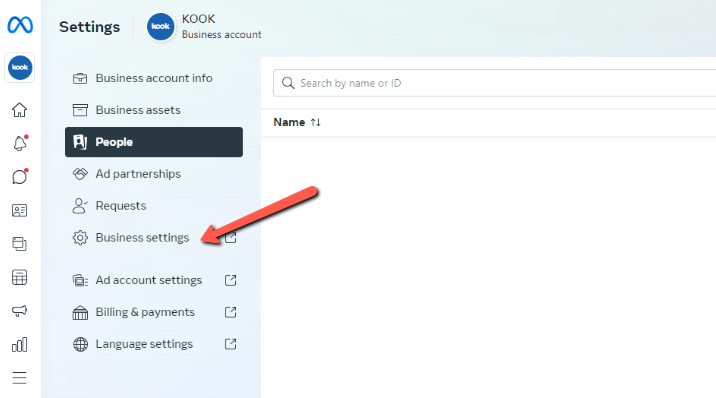
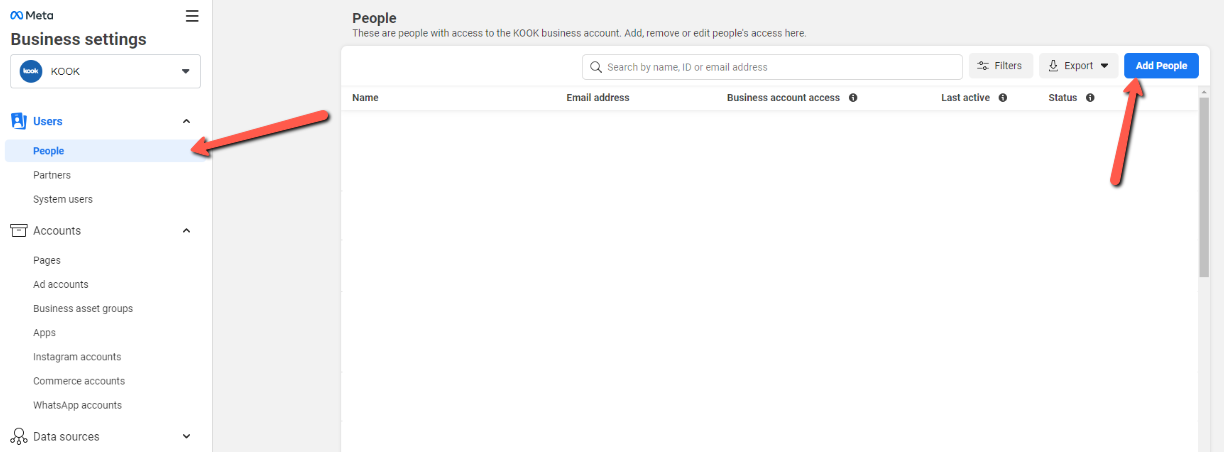
- Click ‘people’ and then ‘add’.
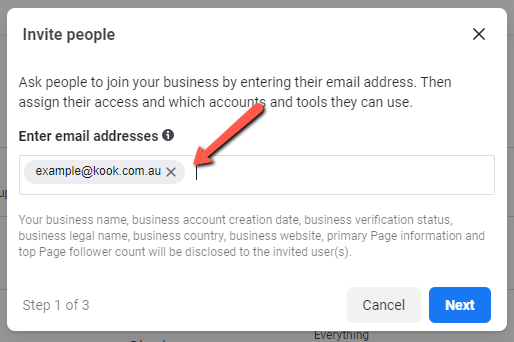
- Enter the email address of your project manager and click next.
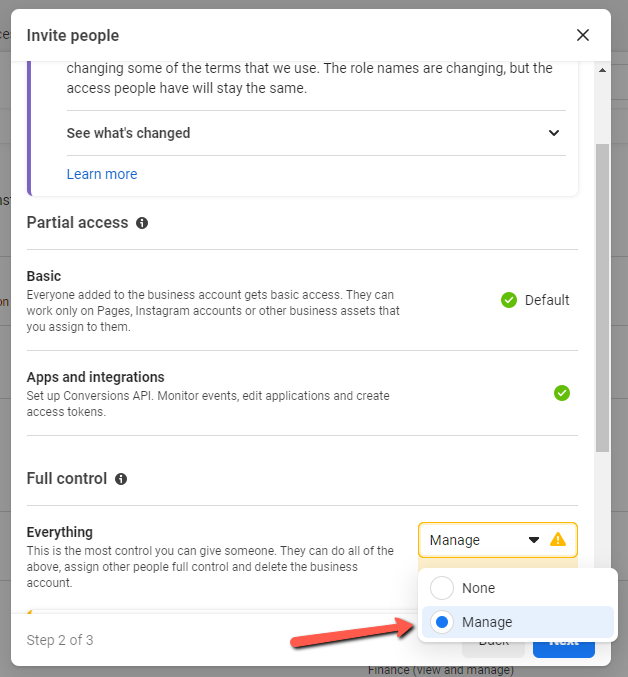
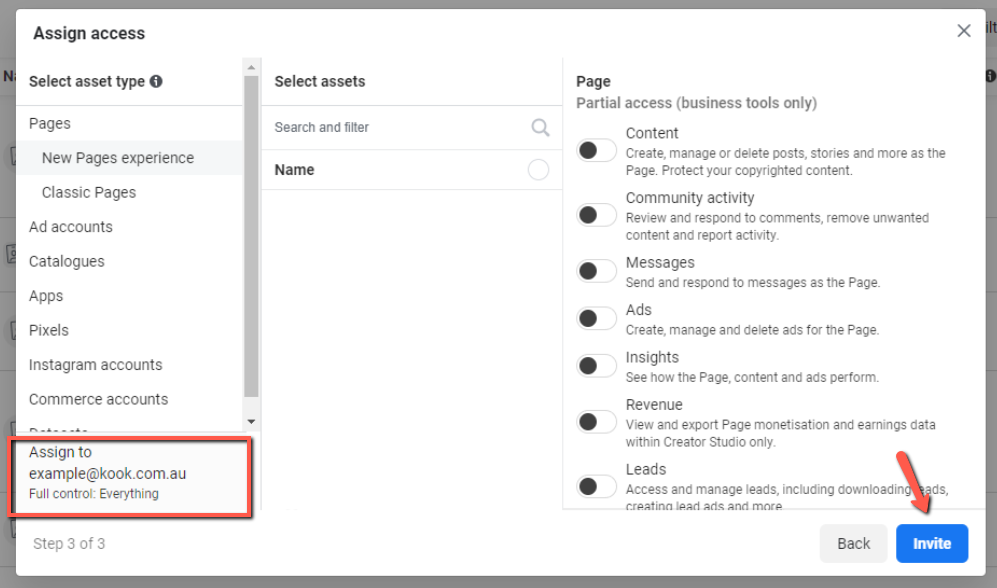
- Scroll down and select Full Control > Manage to grant full access to the Business Manager
- No need to assign any assets specifically, you can just click ‘invite’
Great job! You’ve created your own business manager account and added us as an admin. We’ll now be able to continue setting up the account in preparation of the Facebook Ads campaign.
We're ready to move,
are you?
No lock-in contracts.
No outsourcing.
Thank you! Your submission has been received!
Oops! Something went wrong while submitting the form.